
Cloudflare Integration Workflow
The Cloudflare integration lets you deploy Monocle without changing your application code.
This is the no-code setup path for customers who want to start assessing traffic through Cloudflare. Once configured, Monocle can analyze traffic on selected routes and surface results in the dashboard.
Blocking is only applied when policy-based enforcement is enabled.
Looking for the CLI-based setup? Jump to Manual setup with Wrangler.
How it works
The Cloudflare integration deploys a Cloudflare Worker to the routes you choose.
That worker allows Monocle to assess traffic before it reaches your application.
You can use the integration to:
- Assess traffic without adding code to your site
- Choose which routes Monocle should run on
- Configure a block response
- Redeploy the worker when updates are available
- Remove the worker when it is no longer needed
Before you begin
You need access to:
- A Cloudflare account
- The Cloudflare zone for the domain you want to protect
- Permission to create Cloudflare API tokens
- Permission to deploy Cloudflare Workers
You will also need to create a Cloudflare API token with the required permissions.
Create a Monocle app
To start the Cloudflare integration:
- Create a new Monocle app.
- Enter the app name.
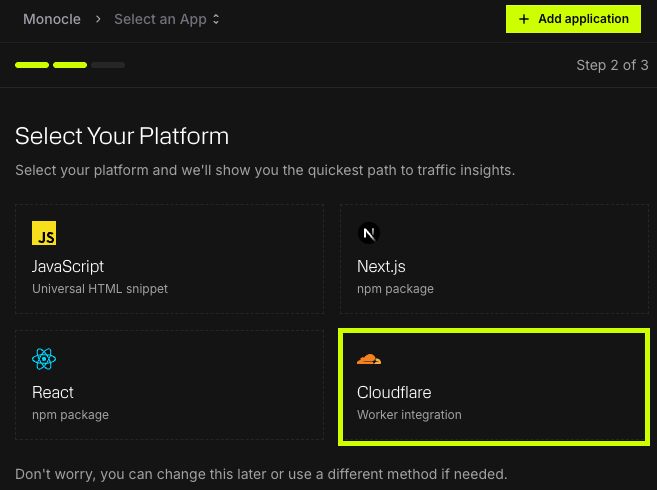
- Choose Cloudflare as the integration type.
- Continue to the Cloudflare connection step.
Monocle will then ask you to connect your Cloudflare account using an API token.
Create a Cloudflare API token
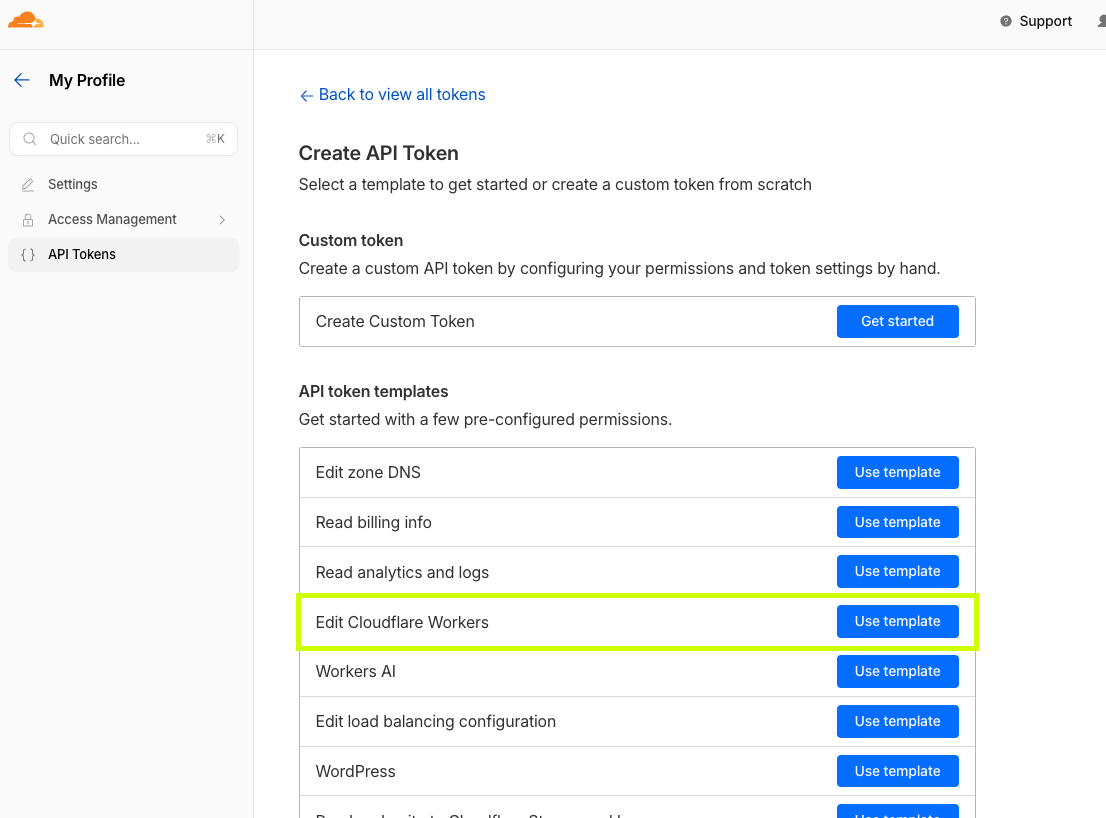
In Cloudflare, create an API token using the Edit Cloudflare Workers template.
Go to Cloudflare Dashboard → My Profile → API Tokens → Create Token, then select Use template next to Edit Cloudflare Workers.
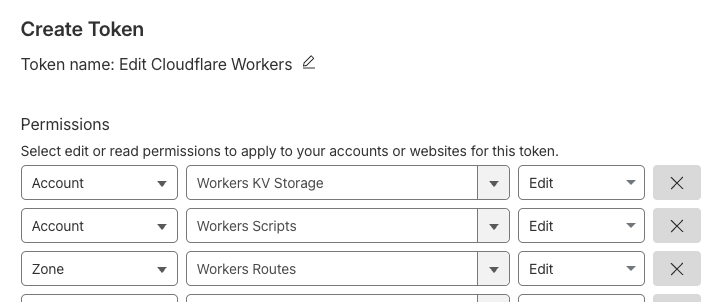
The token needs permissions that allow Monocle to deploy and manage the Cloudflare Worker for your selected domain.
Required configuration includes:
| Area | Setting |
|---|---|
| Account permissions | Workers Scripts: Edit |
| Account permissions | Workers KV Storage: Edit |
| Zone permissions | Workers Routes: Edit |
| Zone permissions | Zone: Read |
| Zone permissions | DNS: Read |
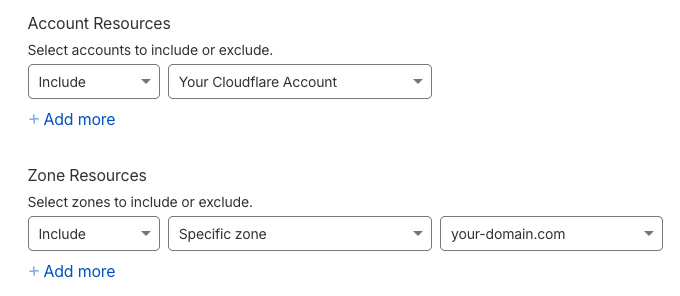
| Account resources | Include the relevant Cloudflare account |
| Zone resources | Include the relevant domain / zone |
Use the specific zone for the domain where Monocle will run.
Monocle reads the zone's DNS records to list the proxied hostnames you can choose from, and every deploy reads them again, so a site's apex and its www are always covered together. A token without Zone → DNS → Read cannot deploy.
Confirm the token includes every permission above, and add any the template leaves out. Monocle keeps its route and crawler data in Workers KV, so Account → Workers KV Storage → Edit is required as well as Account → Workers Scripts → Edit, and Zone → DNS → Read as well as Zone → Zone → Read.
Configure Account Resources to include your Cloudflare account and Zone Resources to include the specific domain where Monocle will run.
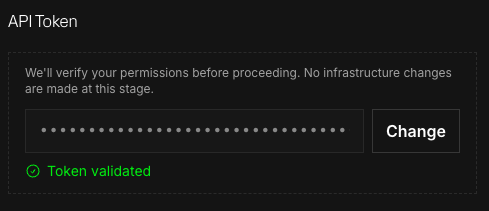
Validate the API token
After creating the token in Cloudflare:
- Copy the API token.
- Return to Monocle.
- Paste the token into the Cloudflare integration setup.
- Select Validate token.
- Continue once the token is valid.
If the token is invalid, Monocle will not be able to configure or manage the Cloudflare Worker.
Choose your hostnames
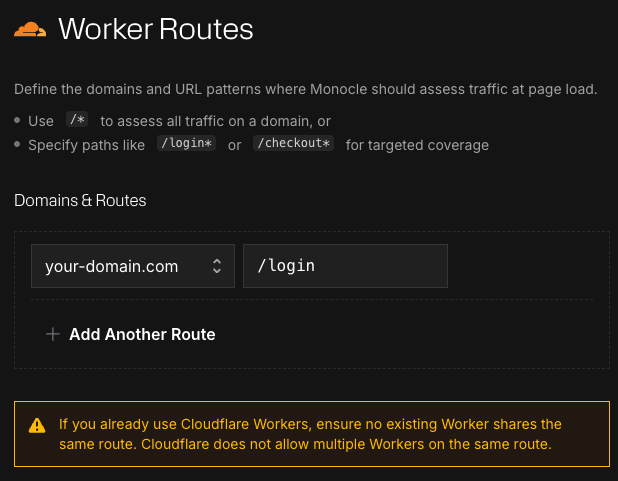
The Worker binds to whole hostnames: Monocle creates one Worker route per hostname you pick, such as shop.example.com/*, and recreates those routes on every redeploy from the hostnames it has saved. There is no per-path route to configure.
Where Monocle runs on those hostnames is set elsewhere:
- Assessed paths (the Assessment step, and later the app's Cloudflare page) choose which pages are assessed.
- Enforced paths (Configure Policy) choose where a Policy block decision is applied.
- Excluded paths (the Assessment step, and later the Cloudflare page) name paths the Worker must never run on, such as a public API. An excluded path becomes a route with no script, which Cloudflare treats as an exception to the Worker route, so those requests never reach Monocle at all.
If you already use Cloudflare Workers, Monocle checks the zone before deploying. A Worker of your own on a route more specific than a hostname is reported and left alone, because Cloudflare sends those requests to it rather than to Monocle. A Worker on exactly the same route blocks the deployment until it is moved or removed, because Cloudflare allows one Worker per route. So does a Worker on a wildcard hostname over the whole path, such as *.example.com/*: Monocle's route for www.example.com is more specific, so Cloudflare would run Monocle there instead of your Worker.
Configure the block response
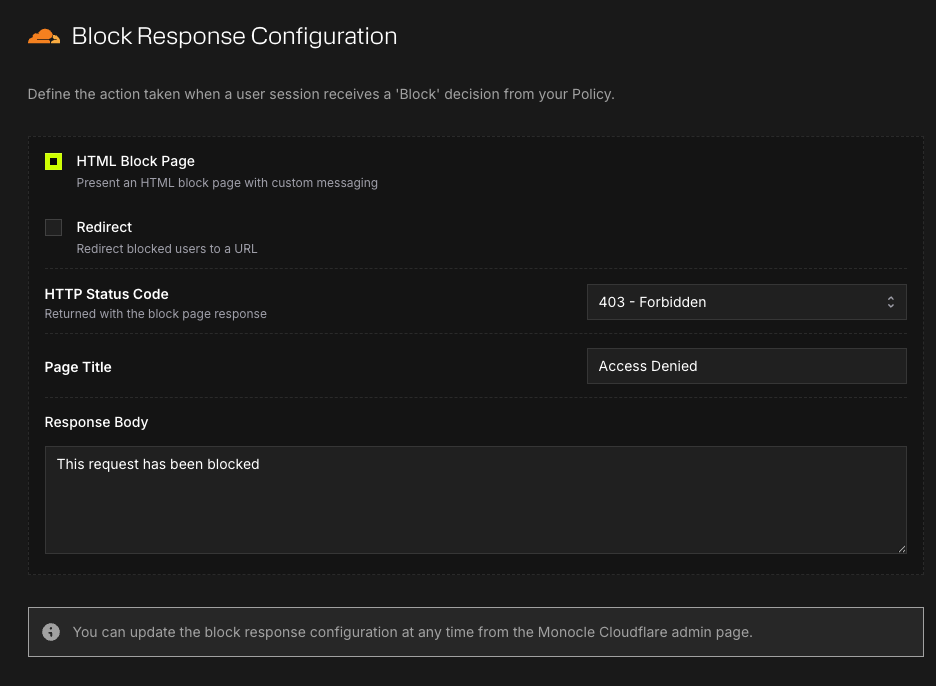
The block response controls what users see when traffic is blocked.
You can configure:
- Response body
- Page title
- HTTP status code (401, 403 or 404)
- Redirect URL, which must point to a path on the protected domain
The default response status is 403. A redirect can also be applied to blocked background requests, which the Monocle script navigates to the block page.
Deploy the worker
Once the API token, routes, and block response are configured, select Deploy worker.
After deployment, Monocle will begin testing for traffic on the configured route.
When traffic is detected, the integration status will update to show that Monocle is assessing traffic.
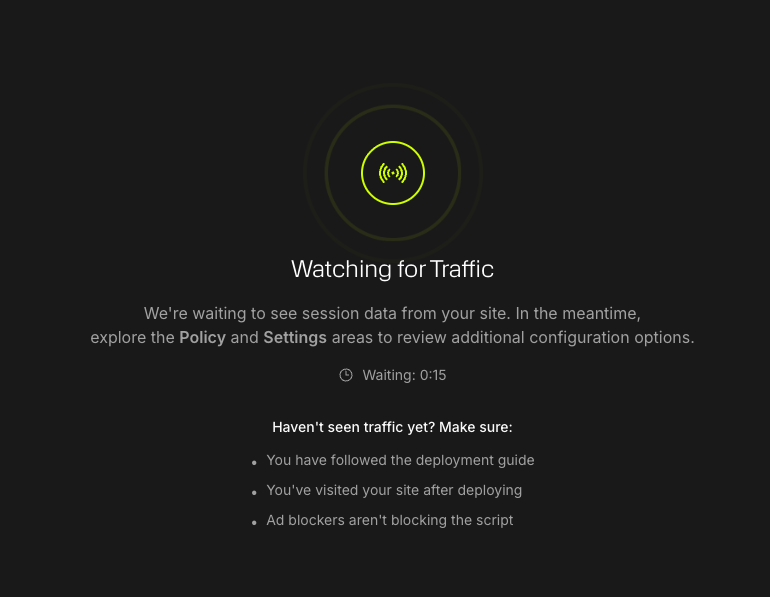
After deploying the Worker, Monocle will wait for matching traffic on the configured route. Visit the protected route to trigger a test request.
Once traffic is detected, Monocle confirms that the Worker is deployed and successfully assessing traffic for the configured route.
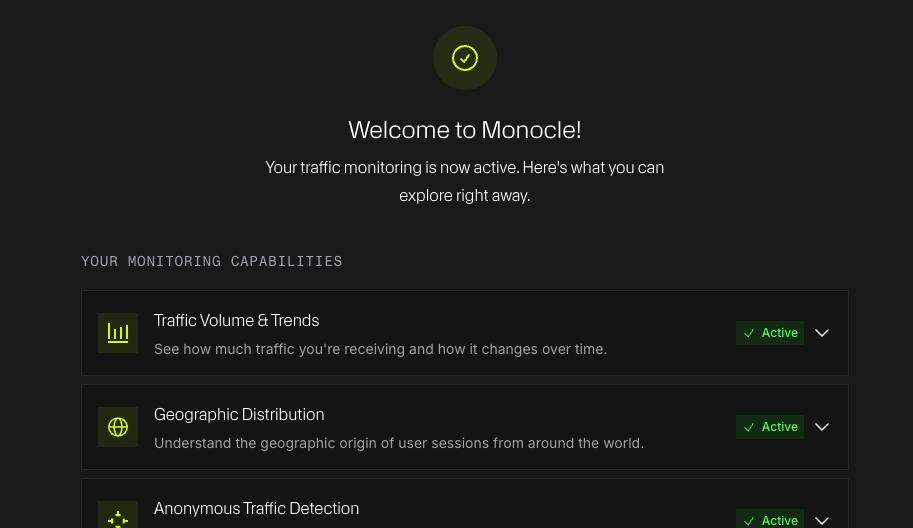
Blocking requires Policy API
The Cloudflare integration can assess traffic without code changes.
However, assessment is not the same as blocking.
By default, Monocle will allow all traffic unless your policy configuration returns a block decision.
To actively block traffic, you must:
- Have access to policy enforcement.
- Enable the Policy API.
- Select a blocking strategy.
- In the policy's Scope, add the paths you want it to protect. These are the enforced paths: a Block decision is applied only on them, and everywhere else the Worker assesses and lets the visitor through. Connected integrations apply the saved paths at the edge, so a change here needs no redeploy.
- Configure the policy rules you want to apply.
An enforced path cannot sit inside an excluded path; Monocle refuses the combination wherever it is saved. If your policy is set to Allow All, or its Scope has no paths, Cloudflare will continue allowing traffic even if the worker is deployed.
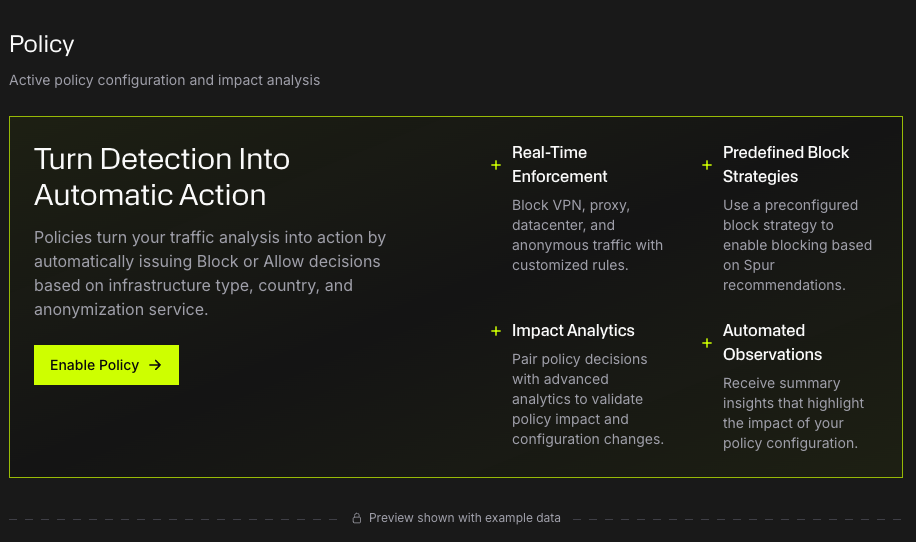
Assessment logging
Assessment logging is available on the Pro plan and above. When it is on, the Worker writes one line each time Monocle's policy makes a decision about a visitor on a path it assesses: the decision, and the visitor's decrypted Monocle assessment, including their IP address and network signals. A visitor's decision is reused until it is due for renewal, so browsing several pages produces one line, not one per page. Each line is a JSON object with a monocle field set to assessment, so it can be told apart from anything else the Worker logs.
The lines are written with console.log, so they land in Workers Logs for the Worker: in the Cloudflare dashboard, open Workers & Pages, choose the Monocle Worker, and go to Logs. Workers Logs keeps a rolling window of recent invocations, which is enough to check that logging is working. To retain the lines or send them to your own tooling, create a Logpush job on the Worker to a destination such as R2, Amazon S3, Datadog or Splunk. See Workers Logpush for the setup; Cloudflare offers it on the Workers Paid plan. Monocle does not create the job: where your logs go, and the credentials for that destination, are yours to choose.
To turn it on, open the app's Cloudflare page in Monocle, turn on Log policy decisions under Assessment Logging, and save. The setting needs a Worker on plugin v2.1.0 or later; the page says so, and offers the update, when the deployed Worker is older.
Each line contains the visitor's IP address. Retain and forward the lines in line with your own data protection obligations. Turning the switch off stops the lines with the next request; a plan that no longer includes assessment logging stops them too, without a redeploy.
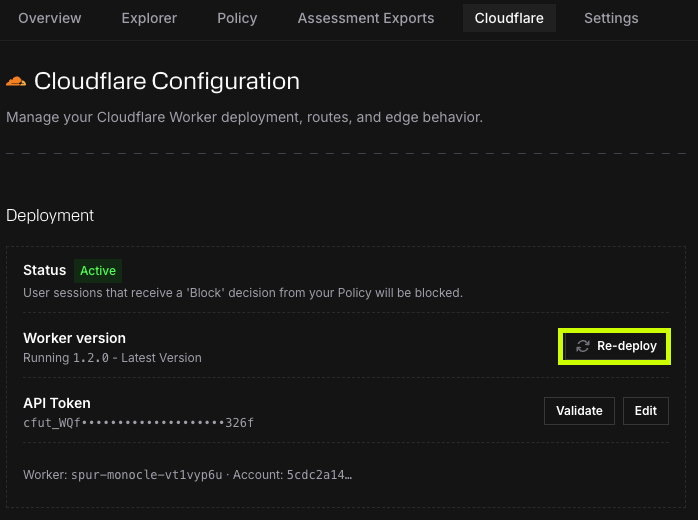
Worker version updates
Monocle may release new versions of the Cloudflare Worker.
When a new worker version is available, the Cloudflare integration page will show that an update is available.
To update the worker, select Update Worker. The Worker is redeployed with the latest version and your current configuration, and you do not repeat the setup flow.
A Worker deployed with a previous version of the plugin shows a notice on the Cloudflare page until it is updated. Its settings on that page are held until then.
Updating an API token
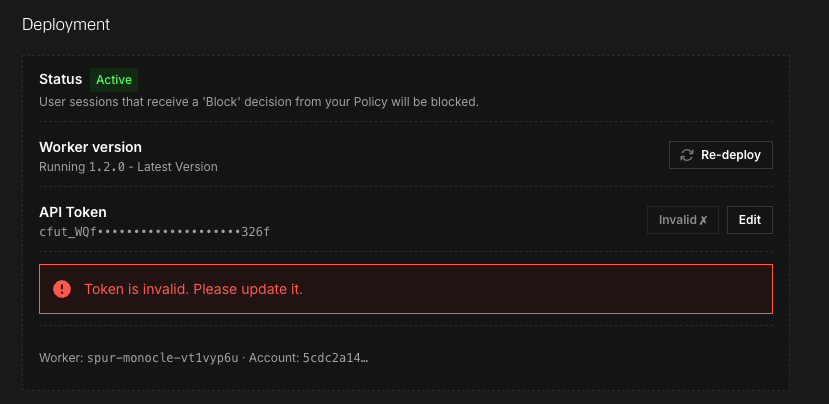
If your Cloudflare API token is rotated, revoked, or changed, Monocle may lose permission to manage the worker.
The deployed worker may continue running, but Monocle will not be able to update configuration, remove the worker, or redeploy until a valid token is provided.
If you see an invalid token warning:
- Create or copy a valid Cloudflare API token.
- Update the token in Monocle.
- Validate the token again.
Removing the worker
You can remove the Cloudflare Worker from Monocle.
Removing the worker stops Monocle from assessing traffic on the configured Cloudflare routes.
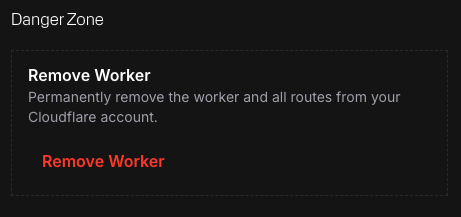
Redeploying restores the Worker and its routes from the saved hostnames; no route setup is needed. Excluded paths are routes on your zone rather than Monocle settings, so removing the Worker leaves them in place until you remove them from the Cloudflare page or in Cloudflare.
Troubleshooting
Traffic is not being assessed
Check that:
- The worker is deployed.
- At least one route is configured.
- The route matches the traffic you are testing.
- No existing Cloudflare Worker is using the same route.
- Traffic is reaching the configured domain and path.
The API token is invalid
Check that:
- The token has the required Worker permissions.
- The token includes the correct Cloudflare account.
- The token includes the correct zone / domain.
- The token has not been rotated or revoked.
The worker is deployed but not blocking traffic
Check your policy configuration.
The Cloudflare worker only blocks traffic when Monocle returns a block decision.
If your policy is set to Allow All, or if Policy API enforcement is not enabled, traffic will continue to be allowed.
A route conflict appears
A route conflict names a route on your zone that Monocle's cannot coexist with: another Worker on the same route, a Worker on a wildcard hostname such as *.example.com/* that Monocle's route would take the hostname from, or a route with no Worker over /__mcl, where Monocle verifies visitors.
Monocle's routes cover whole hostnames, so there is no path to adjust. Remove or change the route the message names in Cloudflare, or take that hostname off this deployment.
Manual setup with Wrangler
If you prefer to configure and deploy the Cloudflare Worker manually using the Wrangler CLI, follow the steps below.
This path deploys the self-managed plugin from the public repository, which you configure and update yourself. The dashboard does not manage it: assessed and excluded paths, the block response, plugin updates and assessment logging on the app's Cloudflare page apply only to a Worker the dashboard deployed.
- 1
Install and authenticate the Cloudflare wrangler utility
Run the following to install globally via
npmand login:terminalnpm install -g wranglerwrangler login - 2
Pull and install the monocle-cloudflare-plugin repository
Clone the monocle cloudflare plugin to your local workspace and install dependencies.
Note: This local setup will house your configuration. It is recommended that you manage this with your own version control or fork monocle to easily pull future updates from Spur.
terminalgit clone https://github.com/spurintel/monocle-plugin-cloudflarecd monocle-plugin-cloudflarenpm install - 3
Configure the worker
In your local repository, you will need to modify the
wrangler.tomlfile for your site and Cloudflare account.- Open the wrangler.toml file in your text editor.
- Copy the example settings here or modify the existing file.
- Save and close.
Note: Ensure that you set the
compatibility_date(today),account_id,zone_id, androute.tomlname = "monocle" # Name of your workermain = "index-spur-managed.js" # Do not change - this is the entry point for the workercompatibility_date = "2025-02-27"account_id = "YOUR_ACCOUNT_ID"workers_dev = false # Set to false to deploy to custom domainroute = { pattern = "*YOUR_DOMAIN_HERE/path/to/protect/*", zone_id = "YOUR_ZONE_ID" } - 4
Configure monocle variables
Return to your terminal and run the following commands to store your App's publishable key and secret key. You will be prompted to provide the values for each. You can copy the values from the Monocle Dashboard and paste them into the terminal when prompted.
terminalwrangler secret put SECRET_KEYwrangler secret put PUBLISHABLE_KEY# This is a unique auto-generated cookie secret.# If you prefer, create a new one: "openssl rand -hex 32"wrangler secret put COOKIE_SECRET_VALUE - 5
Deploy the worker
Run the following command to deploy your cloudflare worker to protect your configured routes:
terminalwrangler deploy
Session-Level Analysis (Optional)
- 6
Session-level analysis
Session-level decryption for Cloudflare Workers is configured through the monocle plugin. Refer to the monocle cloudflare plugin documentation for form enrichment and server-side decryption setup.
Related
- Policies
- Blocking / Enforcement
- Monocle Assessment — Understand the decrypted assessment payload
- Assessment Decryption — Decryption API and backend decryption options